Free New Government Smartphone with Lifeline Program
If you could receive a smartphone and monthly phone service for little or no cost, how much would that improve your daily life?
Anúncios
For many households across the United States, the answer is clear.
Anúncios
Having reliable phone access can make it easier to apply for jobs, schedule medical appointments, communicate with family members, and reach emergency services when needed.
This is exactly the type of support the Lifeline program was created to provide.
Anúncios
Many people refer to it as a “free government smartphone program.”
However, the reality works a little differently.
The federal government does not directly distribute phones.
Instead, the Lifeline program provides a monthly discount on phone or internet service, and many participating providers choose to include a smartphone when someone enrolls in their Lifeline plans.
In this guide, you will learn how a smartphone with Lifeline actually works, who can qualify, and the steps required to apply successfully.
Notice: This content is independent and for informational purposes only.
It has no affiliation, sponsorship, endorsement, or control from any government agency, institution, or telecommunications provider mentioned.
What Is the Smartphone with Lifeline Program?
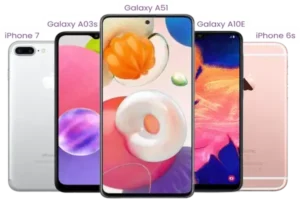
The term smartphone with Lifeline usually refers to a combination of two things.
First, the federal Lifeline benefit lowers the cost of phone or internet service for eligible households.
Second, some participating service providers choose to offer a smartphone when customers enroll in a Lifeline-supported plan.
The government funds the monthly service discount.
The phone itself, when included, is normally provided by the company offering the plan.
This is why different providers may offer different devices or may offer service without a phone.
Understanding that difference helps avoid confusion when comparing offers.
How Lifeline Is Different from Other Connectivity Programs
Over the past several years, multiple connectivity assistance programs have existed.
One program many people remember is the Affordable Connectivity Program (ACP).
ACP provided additional discounts for internet service.
However, that program ended in 2024 due to funding limitations.
Today, Lifeline remains the primary nationwide federal program designed to help low-income households afford basic communication services.
Some states or communities may offer additional programs, but Lifeline continues to serve as the core federal assistance option.
Who Can Qualify for a Smartphone with Lifeline
To receive a smartphone through a Lifeline plan, you must first qualify for the Lifeline benefit itself.
Eligibility is generally based on either household income or participation in certain government assistance programs.
After approval, you then choose a participating provider that offers a device as part of its service.
Basic Lifeline Eligibility Rules
- Income eligibility: Household income must be at or below a specific percentage of the Federal Poverty Guidelines.
- Program participation: Eligibility may also come from participating in approved assistance programs.
- One benefit per household: Only one Lifeline benefit is allowed for each household.
- Age requirement: Applicants must usually be at least eighteen years old, unless legally emancipated.
In the Lifeline program, a household means people who live together and share income or expenses.
This definition is important for roommates, extended families, or shared housing situations.
Programs That Can Qualify You for Lifeline
Many applicants qualify because they already participate in public assistance programs.
Some of the most common qualifying programs include:
- SNAP (food assistance)
- Medicaid
- Supplemental Security Income (SSI)
- Federal Public Housing Assistance
- Veterans Pension or Survivors Benefit
Households living on qualifying Tribal lands may also be eligible through specific Tribal programs.
During the application process, you will indicate whether you qualify through income or through program participation.
Income-Based Eligibility for a Smartphone with Lifeline
Applicants who qualify based on income must have a household income below the program’s limits.
Those limits are calculated using the Federal Poverty Guidelines, which are updated periodically.
The exact income limits vary depending on household size.
Official Lifeline resources provide updated income tables that show the maximum allowed income for each household size.
Comparing your household income with these guidelines is usually the easiest way to see whether you qualify.
How to Apply for a Smartphone with Lifeline
Applying for Lifeline may seem complicated at first, but the process becomes manageable when broken into clear steps.
Most applicants follow two main stages.
First, you confirm eligibility for the Lifeline program.
Second, you enroll with a participating service provider.
Step 1: Confirm Eligibility
Start by reviewing the current Lifeline eligibility rules.
If your income level or participation in an assistance program matches the requirements, you are likely eligible to apply.
Official Lifeline resources provide the most accurate and up-to-date information.
Step 2: Gather Required Documents
Preparing documents in advance can make the process faster and easier.
You may need documents that confirm your identity, address, and eligibility.
- Identity proof: Driver’s license, state ID, or passport.
- Address proof: Utility bill, lease agreement, or official letter showing your address.
- Income proof: Tax returns, pay stubs, or benefit statements.
- Program proof: Approval letters for SNAP, Medicaid, SSI, housing assistance, or veterans benefits.
Make sure your documents are clear and readable.
Blurry or incomplete copies are one of the most common causes of application delays.
Step 3: Submit Your Application
Applications are typically submitted through the official Lifeline eligibility system.
You can apply online, by mail, or sometimes through assistance from a participating provider or community organization.
The application will ask for personal information and may require document uploads.
If the system cannot verify your information automatically, you may be asked to provide additional documentation.
Once your application is reviewed, you will receive a decision about your eligibility.
Step 4: Choose a Lifeline Provider
After approval, you must enroll with a company that offers Lifeline-supported service in your area.
Provider search tools allow you to enter your ZIP code and view available companies.
Each provider may offer different plans and device options.
Some offer a free smartphone with Lifeline, while others provide only discounted service.
Review the details carefully before enrolling.
Step 5: Activate Your Smartphone
Once you complete enrollment with a provider, your device and SIM card are usually shipped to your address.
Activation typically involves:
- Charging the phone
- Inserting the SIM card
- Powering on the device
- Following activation instructions
After activation, test your phone by making a call, sending a text, and checking internet access.
If you experience problems, contact the provider’s support team for assistance.
What Kind of Phone Do You Receive?
The smartphone provided through Lifeline plans varies by provider and location.
Most providers offer practical devices capable of handling everyday tasks.
These phones typically support:
- Voice calls and text messaging
- Basic apps and email
- Internet browsing
- Navigation and messaging apps
The device may not be the newest flagship model, but it is designed to meet essential communication needs.
Some providers also allow you to bring your own compatible phone instead of receiving a new one.
How Lifeline Compares to Other Low-Cost Phone Options
Several types of affordable phone options exist today.
However, Lifeline stands out because it is an ongoing federal benefit.
| Option | What It Provides | Notes |
|---|---|---|
| Lifeline | Monthly service discount and sometimes a smartphone | Available for eligible low-income households |
| Provider promotions | Discounted or free phones with contracts | Often requires credit checks or long commitments |
| Local programs | Community device or connectivity programs | Availability varies by location |
Lifeline is designed to provide long-term communication support rather than short-term promotional deals.
How to Keep Your Lifeline Service Active
After enrolling, you must follow certain rules to maintain your benefit.
Use Your Service
Most providers require you to use the service periodically, such as making a call or sending a text at least once within a set time period.
If the service is unused for too long, it may be disconnected.
Complete Annual Recertification
Lifeline requires participants to confirm their eligibility every year.
You may receive notices requesting recertification.
Responding before the deadline ensures your service continues without interruption.
Update Important Changes
If your household situation changes, you must inform your provider.
Examples include moving to a new address or no longer qualifying through income or program participation.
Common Myths About Free Government Smartphones
- Myth: The government directly gives phones to people.
- Reality: The government provides a service discount, while providers may include devices.
- Myth: Everyone receiving assistance automatically gets a phone.
- Reality: You must apply, be approved, and enroll with a provider.
- Myth: The program is always unsafe.
- Reality: Lifeline is a legitimate federal benefit, though scams may imitate it.
To stay safe, always verify information through official resources before sharing personal data.
Is a Smartphone with Lifeline Worth It?
For many households, the answer is yes.
A smartphone with Lifeline can provide reliable communication without adding another monthly expense.
It can help you stay connected to work opportunities, healthcare providers, schools, and family members.
Even though the devices may not be the newest models, they provide the tools needed for everyday communication and digital access.
Final Steps to Apply
If you think your household may qualify, here is a simple plan to follow:
- Check the current Lifeline eligibility requirements.
- Gather identification and proof documents.
- Submit an application through the official verification system.
- Search for participating providers in your area.
- Compare plans and enroll with the provider you trust.
Once activated, your smartphone with Lifeline can become a valuable tool for communication, safety, and everyday life.
Final notice: This article is independent and informational. Always confirm details through official Lifeline resources and with the service provider you choose.