Best free mechanics apps and online courses
Right now, you are going to find the best free mechanics apps, along with online courses that can help you improve your skills.
Anúncios
Who this guide is made for
This guide is for men who want to get started in mechanics and need tools that are practical, simple, and proven to help.
Anúncios
It is also useful for technicians who already work in the field and want to improve their speed, deepen their knowledge, and earn more.
If you prefer direct explanations, useful steps, and no unnecessary filler, this guide is for you.
Anúncios
The best free mechanics apps for real-world use
The apps below are free to start using and can already help from day one.
Most of them also include optional premium features.
Start with two or three that fit your daily routine and grow from there.
OBD2 scanners and live data apps
Car Scanner ELM OBD2 (iOS / Android).
This app is a strong option for reading and erasing codes, viewing live data, and creating custom dashboards.
You can track fuel trims, oxygen sensor activity, coolant temperature, MAF values, and other important data.
It supports many ELM327 Bluetooth adapters and can unlock advanced PIDs on compatible vehicles.
For both beginners and experienced users, it offers a good mix of power and ease of use.
Torque Lite (Android).
This is a lightweight scanner app that works well with common Bluetooth ELM adapters.
It reads and clears codes, displays essential sensor information, and records basic performance data.
The layout is simple, which makes it great for first scans and quick checks.
If you like the platform, you can upgrade later without changing your workflow.
OBD Auto Doctor (iOS / Android / Desktop).
This app covers live data, trouble codes, freeze-frame information, and readiness monitors in a clean and organized interface.
It works on mobile devices and desktop systems, which is useful if you like using a laptop near the vehicle.
It serves as a strong middle ground between hobby-level use and entry-level professional work.
Code lookup and quick diagnostic help
AutoCodes (Android).
This app converts confusing fault codes into simple explanations that are easier to understand.
It is perfect when your scanner gives you a code and you need quick direction on likely causes and next checks.
Use it as a fast second source before jumping into deeper testing.
Maintenance tracking and reminders
CARFAX Car Care (iOS / Android).
This app helps you keep track of service history, receive recall alerts, and create maintenance reminders.
It works well whether you manage one vehicle or several in a small side business.
Clear records also make it easier to show value both to customers and to yourself.
Drivvo (iOS / Android).
This app gives you a simple way to record fuel use, repairs, and expenses in one place.
You can export reports and keep a clear picture of long-term costs.
For small fleets or side work, it grows with you without becoming hard to manage.
Simply Auto (iOS / Android).
This app tracks refueling, maintenance, reminders, mileage, and expenses with cloud synchronization.
It is easy to use and keeps your records organized for resale, reports, or future reference.
Repair guides and instructional videos
1A Auto: Parts & Repair Videos (iOS / Android).
This app gives you access to thousands of step-by-step repair videos created by professionals.
Watching before starting a job helps reduce mistakes and repeat repairs.
It is especially useful for visual learners and first-time procedures.
AutoZone Repair Guides (Web + App).
With a free account, you can add your vehicle and access repair guides plus some wiring diagrams.
It is a solid place to begin for common repairs and quick reference checks.
iFixit (Web + App).
This platform offers a community-based library of clear and illustrated repair guides for many kinds of jobs.
It is especially useful for general procedures and quick refreshers during work.
Parts lookup, VIN tools, and quick references
NAPA GO / NAPA Auto Parts (iOS / Android).
You can use VIN scanning to match parts, check local stock, and save time instead of calling around.
It also helps cross-reference components so the job keeps moving faster.
Advance Auto Parts videos (Web).
These short how-to videos explain basic maintenance tasks such as batteries, alternators, and fluids.
They are helpful for training assistants and increasing confidence on simple jobs.
Safety and setup before using any app
Buy a dependable OBD2 adapter that is confirmed to work with your phone and your vehicle.
Avoid ultra-cheap clone adapters because they can be unstable and may block important features.
Always verify which functions are supported by your exact make and model.
No app can show data that the ECU does not provide.
Support the vehicle correctly, use proper protective gear, and follow safe shop practices at all times.
App data should always be combined with real tests such as vacuum checks, fuel pressure tests, and electrical measurements.
If the repair is complex or safety-related, confirm the procedure with an OEM-level manual.
How to choose the right free mechanics apps for your routine
Start with the type of problem you deal with most often.
- If you work with check-engine lights all the time, install Car Scanner or Torque Lite first.
- If you want organized maintenance records, add CARFAX Car Care, Drivvo, or Simply Auto.
- If you need step-by-step guidance, use 1A Auto, AutoZone Repair Guides, or iFixit.
Then keep only the top two or three apps that you actually use most.
Too many tools on your screen can slow you down and clutter your process.
Best online courses to learn mechanics faster (free and paid)
Courses help turn hands-on experience into a system you can repeat and improve.
They also give you better language to explain your work to customers and employers.
Start with free learning, then pay only when you are ready for deeper training or certification.
Free courses for beginners
Alison – Car Mechanic Training.
This course teaches shop safety, basic vehicle systems, fluids, fuses, VIN basics, and routine maintenance.
It is a smooth starting point for building a strong foundation quickly.
Alison – Diploma in Automotive Systems Training.
This program goes deeper into suspension, steering, electrical systems, diagnostics, and servicing.
It works well as a bridge between DIY learning and paid mechanical work.
MIT OpenCourseWare – Engineering Dynamics.
This course covers motion, forces, and vibration in a structured way.
It can sharpen your understanding of driveline vibration, imbalance, and suspension behavior.
University-level courses you can audit for free
edX – Automotive and safety topics.
You can audit many university courses without paying for the certificate.
Topics may include road safety, systems engineering, and other technical subjects.
Coursera – Automotive and industry-related courses.
Many courses allow free access to the main learning material.
You only need to pay if you want graded assignments or a certificate.
Paid professional repair information
ALLDATA DIY.
This service gives you procedures and diagrams that closely follow OEM information for specific vehicles.
It is great for serious DIY users and working technicians handling their own cars.
Short access plans make it flexible when you only need it for a certain period.
Mitchell 1 ProDemand.
This is a shop-level information system with diagnostics, wiring diagrams, TSBs, and labor times.
It is built for full-time techs and mobile professionals who need speed and depth.
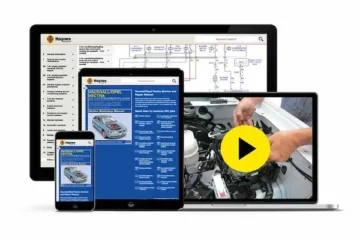
Haynes AllAccess.
This platform gives digital manuals with guided procedures and videos.
It is easier to learn than many pro databases and remains budget-friendly for beginners.
90-day learning path to increase your income
You do not need to completely change your life to improve.
You only need a clear plan and steady action.
Use this roadmap and adjust it to fit your weekly schedule.
Phase 1: Quick diagnostic progress (Week 1–2)
Install Car Scanner or Torque Lite and scan every vehicle you work on.
Learn how fuel trims, oxygen sensor graphs, intake air temperature, and coolant temperature interact.
Create simple dashboards with the sensors you use most often.
Save screenshots to build your own baseline reference library.
Phase 2: Organize maintenance and expenses (Week 3)
Add CARFAX Car Care, Drivvo, or Simply Auto and log every service job.
Set reminders for oil changes, brakes, coolant, and timing-related maintenance.
Share clean reports with customers to build trust and encourage repeat business.
Phase 3: Close the repair-manual gap (Week 4)
Before every unfamiliar repair, review a guide from 1A Auto, AutoZone Repair Guides, or iFixit.
Write down torque specs, bolt sequences, and important safety notes in your notebook or app.
This cuts down on mistakes and repeat problems.
Phase 4: Get ready for certification (Month 2)
Choose one ASE category such as A1 Engine Repair or A8 Engine Performance.
Study for thirty minutes each day and answer practice questions regularly.
Focus on understanding how systems work together instead of only memorizing facts.
Phase 5: Go deeper and earn more (Month 3)
Audit one edX or Coursera course related to systems, diagnostics, or safety.
Apply one new concept each week in real work.
Track what improves your results and keep using it.
Free mechanics apps vs paid tools: when it makes sense to upgrade
Free apps are excellent for common codes, live data, and basic repair support.
They are quick, easy to use, and cost nothing to start.
Paid manuals and tools add OEM-level procedures, more accurate wiring, TSB access, and labor times.
They save time on newer vehicles and help reduce repeat repairs.
If you charge for your labor, avoiding one comeback may already pay for the subscription.
If you mostly work on your own vehicle, one model-specific subscription or digital manual may be enough.
Use free tools as your base and move to paid tools when the job really demands it.
Best practices to stay safe and professional
Support the vehicle with stands, block the wheels, and do not rush the job.
Wear gloves and eye protection, especially around batteries, starters, and fuel systems.
Confirm that app features actually work on your exact vehicle before using service functions.
If you are unsure, verify the process with a professional database or an experienced mentor.
Keep detailed records with dates, mileage, part numbers, and torque specs.
Your records prove the work done and help you solve future issues faster.
FAQ for beginner and working mechanics
Do these apps replace a dedicated scan tool?
No, they do not fully replace a professional scan tool.
They are very useful for OBD2 basics, but brand-specific advanced functions still require a dedicated scanner.
Can I learn mechanics only with free courses?
You can build a solid base for free.
But certifications, structured practice, and paid repair information help turn that base into professional-level speed and confidence.
What is the best first course to take?
If you are new, start with Alison’s Car Mechanic Training.
Then move to the Diploma in Automotive Systems for more depth.
If you already work in a shop, audit a course focused on systems or safety to strengthen fundamentals.
What OBD2 adapter should I buy?
Choose a well-reviewed adapter that clearly confirms compatibility with your phone and vehicle protocol.
Avoid unknown clone adapters with unstable firmware or weak support.
How do I reduce comebacks?
Confirm the complaint, reproduce the issue, and follow a simple diagnostic process.
Use live data together with basic physical tests and always verify the repair before delivery.
Downloads
Below are the download links for the apps mentioned above.
To keep the article clean, only App Store and Google Play links are included.
If an app is only available on one platform, only one link is shown.
Car Scanner ELM OBD2 — App Store | Google Play
Torque Lite — Google Play
OBD Auto Doctor — App Store | Google Play
AutoCodes — Google Play
CARFAX Car Care — App Store | Google Play
Drivvo — App Store | Google Play
Simply Auto — App Store | Google Play
1A Auto: Parts & Repair Videos — App Store | Google Play
NAPA GO / NAPA Auto Parts — App Store | Google Play
Final recommendations and next steps
Install one OBD2 app and one maintenance-tracking app today.
Car Scanner together with CARFAX Car Care is a simple and effective combination for most people.
Save your favorite repair guide source and review it before every new job.
Join one free course this week and begin ASE practice next week.
In thirty days, you can be faster, more confident, and more prepared to charge better for your work.
Disclaimer
This content is independent and is not affiliated with, sponsored by, or controlled by any of the brands or entities mentioned.
Always confirm the latest app features, pricing, and local regulations before downloading or enrolling.